Zapier Review (2026): Is It Still the Best Automation Tool for Beginners?
Zapier remains one of the easiest automation tools for non-technical users - but it can become expensive as your workflows grow. This review explains where Zapier still wins, where it falls short, and whether it is the right automation platform for you.
Zapier remains one of the easiest automation tools for non-technical users - but it can become expensive as your workflows grow. This review explains where Zapier still wins, where it falls short, and whether it is the right automation platform for you.
Zapier is the best automation tool for beginners who want simple, reliable workflows - but Make is usually better for scaling complex automations at lower cost.
⚡ Quick Verdict
Zapier is best for beginners, small teams, and business owners who want to automate simple workflows without learning technical logic.
It is not the best choice for users who need complex branching, heavy data manipulation, or lower costs at scale.
If your goal is to build your first automation quickly, Zapier is still the easiest place to start. If your automations become complex or high-volume, Make, n8n, or Pabbly may become better alternatives.
🧩 What is Zapier?
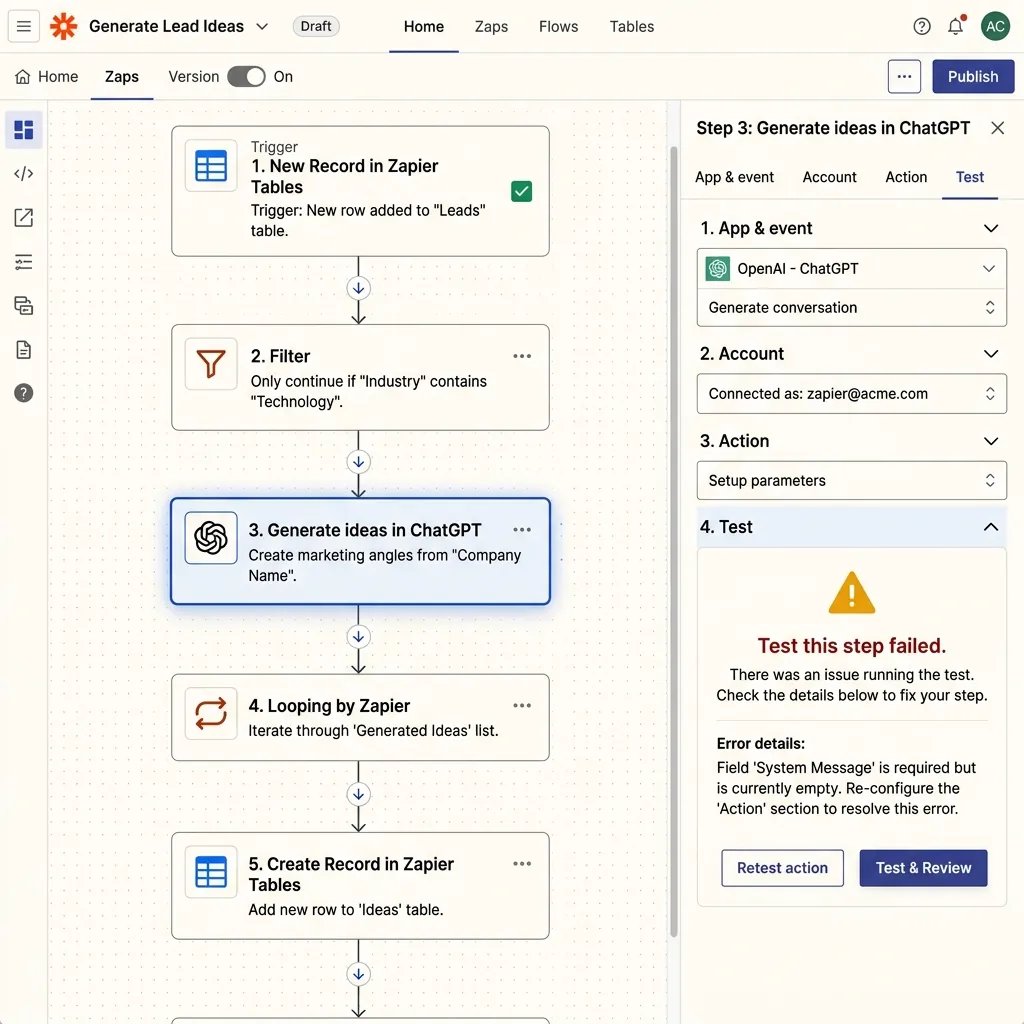
Zapier is a no-code automation platform that connects apps and allows users to create workflows called Zaps.
A Zap usually works with simple logic: when something happens in one app, Zapier triggers an action in another app.
For example, Zapier can automatically send new form submissions to a CRM, add new leads to an email list, create tasks in project management tools, or send Slack notifications when something important happens.
Zapier is popular because it is simple, reliable, and supported by one of the largest app integration libraries in the automation space.
👤 Use Zapier if...
-
check_circle
You are new to automation and want the easiest possible setup
-
check_circle
You need simple trigger-action workflows for your business
-
check_circle
You use many mainstream business apps and need direct integrations
-
check_circle
You prefer a guided, form-based interface over a visual canvas
Zapier is especially strong for:
🚫 Not for you if...
-
cancel
You need advanced branching logic and multi-path complexity
-
cancel
You run high-volume workflows and need to minimize costs
-
cancel
You need deep control over data transformations and structures
-
cancel
You are comfortable with advanced logic and technical setups
In these cases, Make or Make vs Zapier is the better path.
🔧 Key Features
Simple Zap builder
Zapier uses a guided, step-by-step builder that makes automation easy for beginners. No technical logic required.
Large app library
Zapier supports thousands of apps, making it one of the most broadly compatible automation platforms in existence.
Pre-built Templates
Zapier provides thousands of templates that help users create common workflows instantly with one click.
Multi-step workflows
Paid users can build workflows with multiple actions across many different apps in a single chain.
Paths and filters
Zapier allows users to add conditional logic, although this can become expensive and less flexible than visual builders.
Task history
Zapier provides detailed logs so users can quickly troubleshoot failed or completed workflows with ease.
🧠 Real-World Use Cases
Lead management
Send new leads from forms, ads, or landing pages into your CRM automatically.
Email marketing
Add new contacts to Mailchimp, ConvertKit, HubSpot, or other email platforms.
Sales workflows
Notify teams when a deal changes stage or a new lead enters the pipeline.
Internal operations
Create tasks, send reminders, update spreadsheets, and notify Slack channels.
💰 Pricing Reality
Zapier’s pricing is based on tasks. A task is counted when Zapier successfully performs an action inside a workflow.
Zapier is good value when you run simple, low-volume workflows and care most about ease of use. It becomes expensive when workflows grow.
Zapier becomes less attractive when your automations have many steps or run at high volume. This is the main reason many users eventually compare Zapier with Make, Pabbly, or n8n.
thumb_up Pros
-
+
Extremely beginner-friendly interface
-
+
Huge integration library (6,000+ apps)
-
+
Reliable automation infrastructure
-
+
Excellent templates and onboarding
-
+
Fast setup for simple workflows
thumb_down Cons
-
−
Can become very expensive at scale
-
−
Less flexible than Make for complex workflows
-
−
Advanced logic often requires higher plans
-
−
Not ideal for technical users wanting full control
⚖️ Zapier vs Alternatives
Zapier vs Make
Zapier is easier to use, but Make is more flexible and usually cheaper for complex workflows.
Read Comparison arrow_forwardZapier vs n8n
Zapier is better for beginners. n8n is better for technical users who want control.
Read Comparison arrow_forwardZapier Alternatives
Explore the top-rated Zapier alternatives for small businesses, from free options to high-volume powerhouses.
See Alternatives arrow_forward🏁 Final Verdict
Zapier is still one of the best automation tools for beginners. If you want to build simple automations quickly, it is hard to beat.
But Zapier is not always the best long-term choice. As your workflows become more complex, Make often becomes more powerful and cost-efficient.
Use Zapier if simplicity matters most. Choose Make if scalability and lower automation costs matter more.